Workbook in Excel
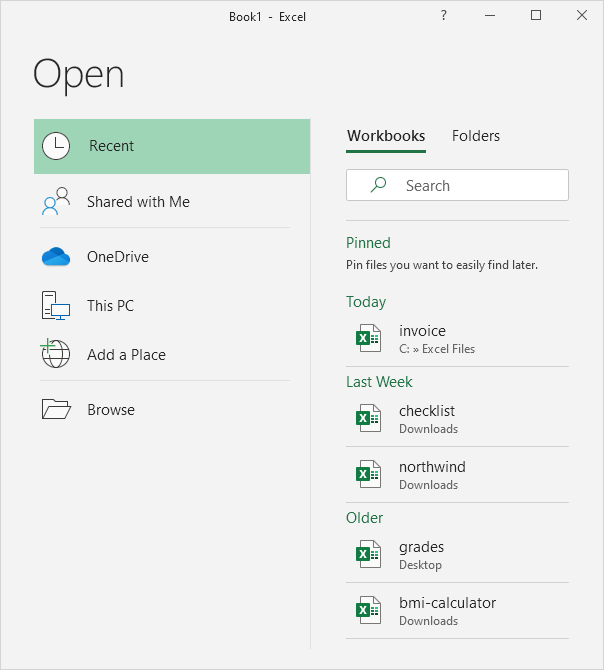
A workbook is another word for your Excel file. When you start Excel click Blank workbook to create an Excel workbook from scratch.
Open an Existing Workbook
To open a workbook you've created in the past execute the following steps.
1. On the File tab click Open.
2. Recent shows you a list of your recently used workbooks. You can quickly open a workbook from here.
3. Click Browse to open a workbook that is not on the list.
Close a WorkbookTo close a workbook (and Excel) click the upper right X. If you have multiple workbooks open clicking the upper right X closes the active workbook.

Sometimes you want to start all over again. To create a new workbook execute the following steps.
1. On the File tab click New.
2. Click Blank workbook.
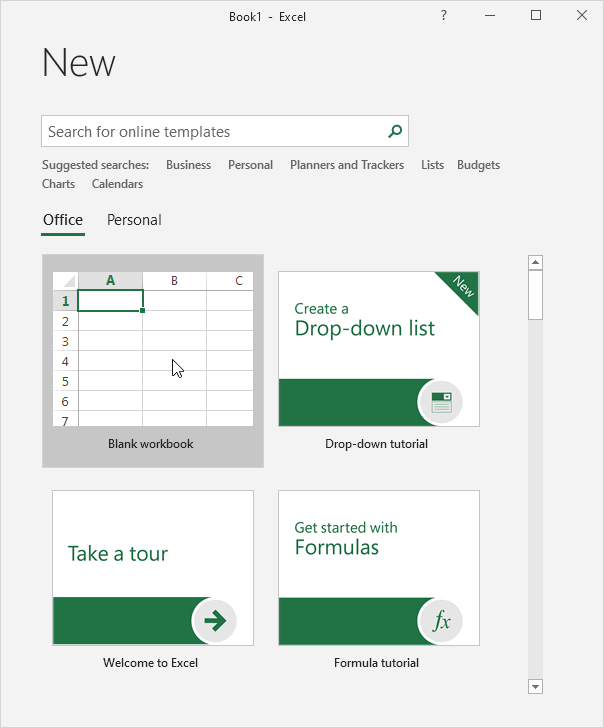
When you start Excel it shows a start screen that lists recently used Excel files and templates. To skip the start screen and always start with a blank workbook execute the following steps.
1. On the File tab click Options.
2. Under Start up options uncheck 'Show the Start screen when this application starts'.
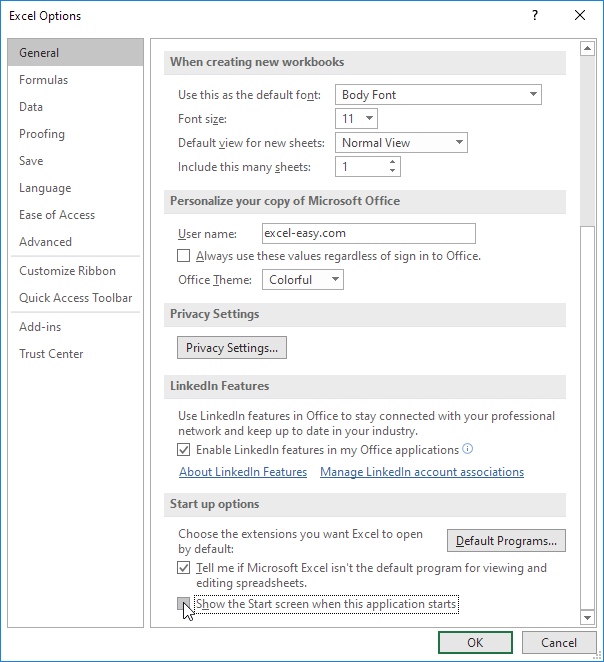
3. Click OK.
Written by
Jason Howie
Founder, FormulasHQ
A formula nerd with a passion for numbers and equations. Writes about Excel, Google Sheets, VBA, regex, and Salesforce formulas — for people who spend their day in spreadsheets.