How to use ExcelOctober 11, 2024
Mark a Workbook as Final in Excel
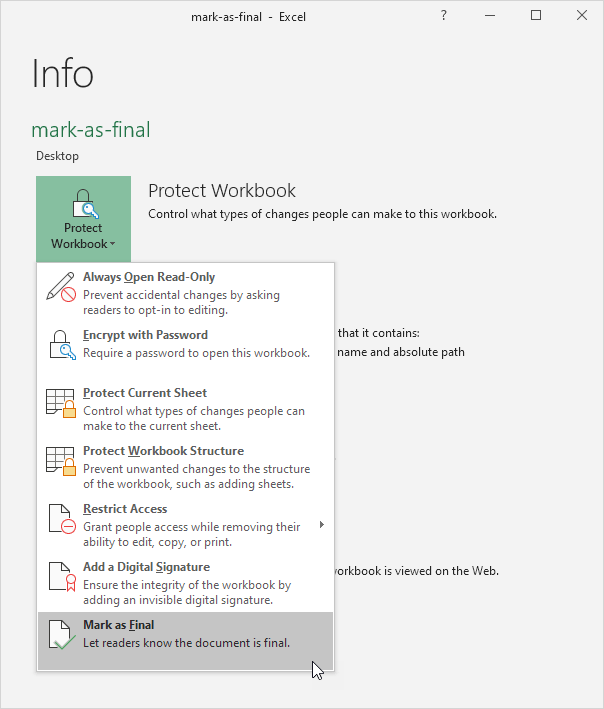
Mark a workbook as final in Excel to indicate that this is the final version of your workbook. Only use this feature to discourage editing. Users can still edit the workbook.
1. Open a workbook.
2. On the File tab click Info.
3. Click Protect Workbook Mark as Final.
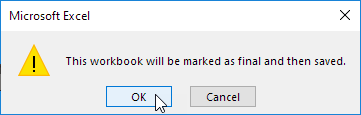
4. Click OK.
Result:
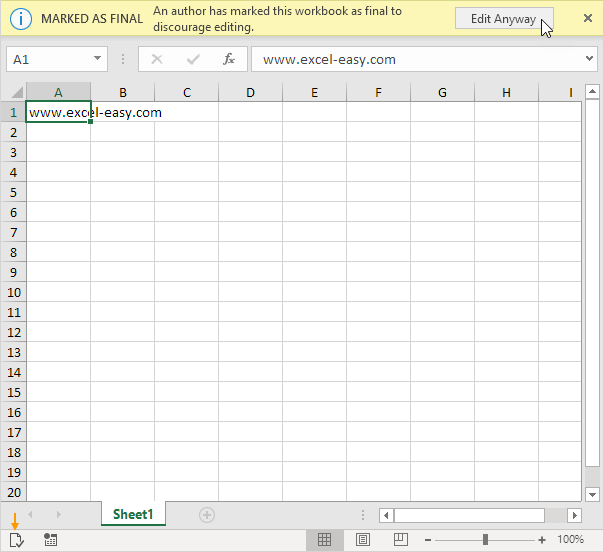
Note: users can still edit the workbook by clicking on Edit Anyway. Also notice the Marked as Final icon in the status bar.
Written by
Jason Howie
Founder, FormulasHQ
A formula nerd with a passion for numbers and equations. Writes about Excel, Google Sheets, VBA, regex, and Salesforce formulas — for people who spend their day in spreadsheets.