Test a Selection in Excel VBA
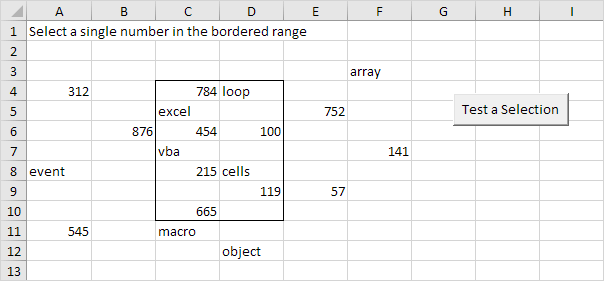
This program in Excel VBA uses the Count property IsNumeric function IsEmpty function and Intersect method to test a selection.
Situation:
Place a command button on your worksheet and add the following code lines:
1. First we declare two Range objects. We call the Range objects rng and cell.
Dim rng As Range cell As Range2. We initialize the Range object rng with Range("C4:D10") and the Range object cell with the selected range.
Set rng = Range("C4:D10")Set cell = Selection
3. Add the following code lines:
If cell.Count = 1 And IsNumeric(cell) And Not IsEmpty(cell) And Not Intersect(rng cell) Is Nothing ThenMsgBox "You win"
Else
MsgBox "You lose"
End If
Explanation: Intersect(rng cell) returns a Range object that represents the intersection of the two ranges. If this range object is not Nothing the single number (first three conditions) is in the bordered range.
4. Test the program.
Only when you select a single number in the bordered range the result will be:
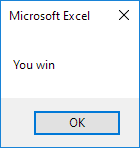
In all other cases the result will be:

Written by
Jason Howie
Founder, FormulasHQ
A formula nerd with a passion for numbers and equations. Writes about Excel, Google Sheets, VBA, regex, and Salesforce formulas — for people who spend their day in spreadsheets.