How to use ExcelOctober 9, 2024
Custom Sort Order in Excel
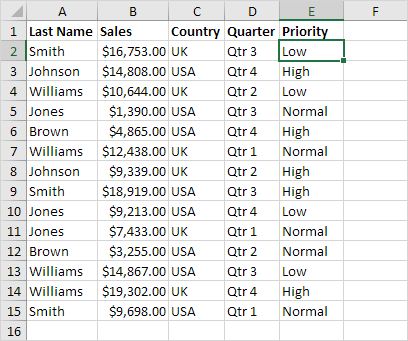
You can use Excel to sort data in a custom order. In the example below we would like to sort by Priority (High Normal Low).
1. Click any cell inside the data set.
2. On the Data tab in the Sort & Filter group click Sort.
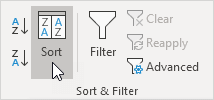
The Sort dialog box appears.
3. Select Priority from the 'Sort by' drop-down list.
4. Select Custom List from the 'Order' drop-down list.

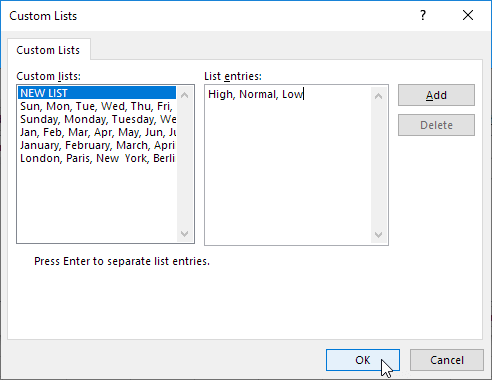
The Custom Lists dialog box appears.
5. Type the list entries.
6. Click OK.
7. Click OK again.
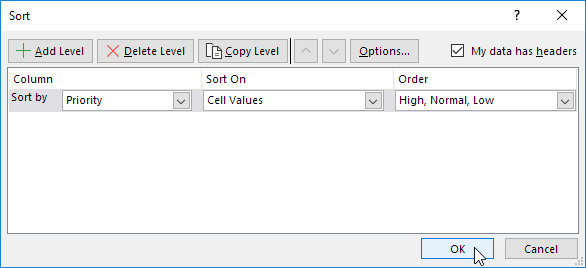
Result: records are sorted by Priority (High Normal Low).

Written by
Jason Howie
Founder, FormulasHQ
A formula nerd with a passion for numbers and equations. Writes about Excel, Google Sheets, VBA, regex, and Salesforce formulas — for people who spend their day in spreadsheets.