Variables in Excel VBA
This chapter teaches you how to declare initialize and display a variable in Excel VBA. Letting Excel VBA know you are using a variable is called declaring a variable. Initializing simply means assigning a beginning (initial) value to a variable.
Place a command button on your worksheet and add the code lines below. To execute the code lines click the command button on the sheet.
Integer
Integer variables are used to store whole numbers.
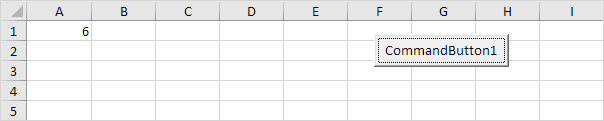
Dim x As Integerx = 6
Range("A1").Value = x
Result:
Explanation: the first code line declares a variable with name x of type Integer. Next we initialize x with value 6. Finally we write the value of x to cell A1.
StringString variables are used to store text.
Code:
Dim book As Stringbook = "bible"
Range("A1").Value = book
Result:
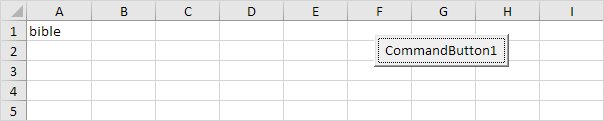
Explanation: the first code line declares a variable with name book of type String. Next we initialize book with the text bible. Always use apostrophes to initialize String variables. Finally we write the text of the variable book to cell A1.
DoubleA variable of type Double is more accurate than a variable of type Integer and can also store numbers after the comma.
Code:
Dim x As Integerx = 5.5
MsgBox "value is " & x
Result:
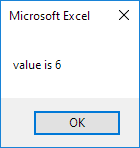
But that is not the right value! We initialized the variable with value 5.5 and we get the value 6. What we need is a variable of type Double.
Code:
Dim x As Doublex = 5.5
MsgBox "value is " & x
Result:
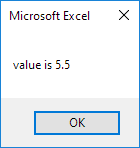
Note: Long variables have even larger capacity. Always use variables of the right type. As a result errors are easier to find and your code will run faster.
BooleanUse a Boolean variable to hold the value True or False.
Code:
Dim continue As Boolean
continue = True
If continue = True Then MsgBox "Boolean variables are cool"
Result:
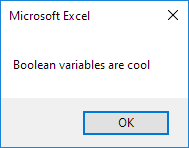
Explanation: the first code line declares a variable with name continue of type Boolean. Next we initialize continue with the value True. Finally we use the Boolean variable to only display a MsgBox if the variable holds the value True.
Written by
Jason Howie
Founder, FormulasHQ
A formula nerd with a passion for numbers and equations. Writes about Excel, Google Sheets, VBA, regex, and Salesforce formulas — for people who spend their day in spreadsheets.