Superscript and Subscript in Excel

It's easy to format a character as superscript (slightly above the baseline) or subscript (slightly below the baseline) in Excel.
1. For example double click cell A1.
2. Select the value 2.

3. Right click and then click Format Cells (or press Ctrl + 1).
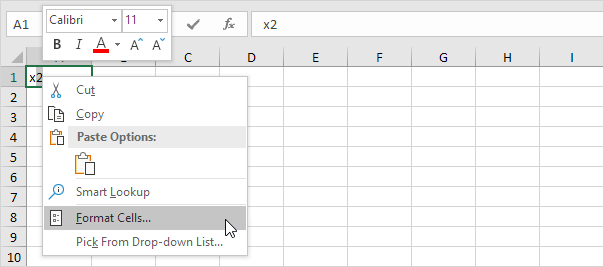
The 'Format Cells' dialog box appears.
4. On the Font tab under Effects click Superscript.

5. Click OK.
Result:

6. Needless to say a superscript effect cannot return a result. To square a number use a formula like this:

Note: to insert a caret ^ symbol press SHIFT + 6.
7. To format a character as subscript (slightly below the baseline) repeat steps 1-5 but at step 4 click Subscript.
Result:

8. Did you know that you can also insert equations in Excel? On the Insert tab in the Symbols group click Equation.
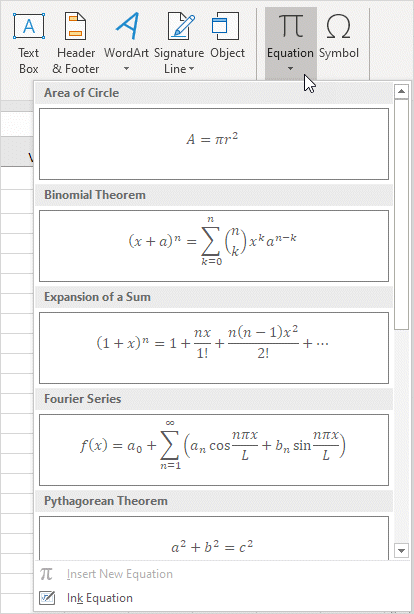
Note: equations in Excel are floating objects and do not return results.
Written by
Jason Howie
Founder, FormulasHQ
A formula nerd with a passion for numbers and equations. Writes about Excel, Google Sheets, VBA, regex, and Salesforce formulas — for people who spend their day in spreadsheets.