Chart Sheet in Excel
You can find most charts on the same worksheet as the source data (embedded charts). However you can also move a chart to a separate sheet that only contains a chart (chart sheet).
To move a chart to a chart sheet execute the following steps.
1. Select the chart.
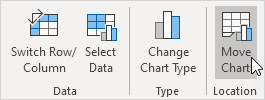
2. On the Chart Design tab in the Location group click Move Chart.
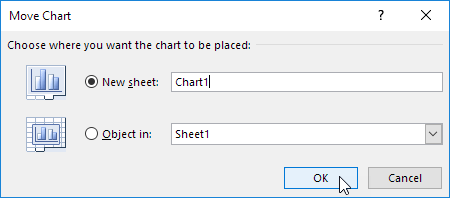
The Move Chart dialog box appears.
3. Click New sheet and enter a name.
4. Click OK.
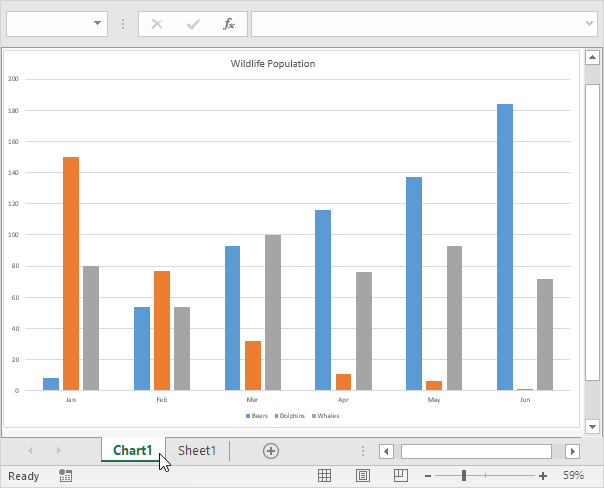
Result:
Note: repeat these steps but instead of New sheet at step 3 click Object in to move the chart back to the same worksheet as the source data. Visit our chapter about charts to learn more about this important Excel topic.
Written by
Jason Howie
Founder, FormulasHQ
A formula nerd with a passion for numbers and equations. Writes about Excel, Google Sheets, VBA, regex, and Salesforce formulas — for people who spend their day in spreadsheets.