Tax Rates in Excel VBA
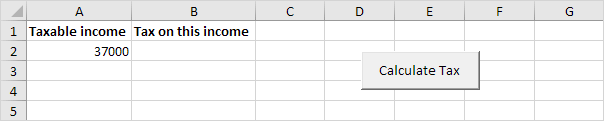
Below we will look at a program in Excel VBA that calculates the tax on an income. The following tax rates apply to individuals who are residents of Australia.
Taxable income |
Tax on this income |
|---|---|
0 - $6000 |
Nil |
$6001 - $35000 |
15c for each $1 over $6000 |
$35001 - $80000 |
$4350 plus 30c for each $1 over $35000 |
$80001 - $180000 |
$17850 plus 38c for each $1 over $80000 |
$180001 and over |
$55850 plus 45c for each $1 over $180000 |
Situation:
1. First we declare two double variables. One double variable we call income and one double variable we call tax.
Dim income As DoubleDim tax As Double
2. We initialize the variable income with the value of cell A2 and round it.
income = Round(Range("A2").Value)3. We place the rounded value into cell A2 again.
Range("A2").Value = income4. We use the Select Case statement to calculate the tax on an income. Excel VBA uses income to test each subsequent Case statement to see if the code under the Case statement should be executed.
Select Case incomeCase Is >= 180001
tax = 55850 + 0.45 * (income - 180000)
Case Is >= 80001
tax = 17850 + 0.38 * (income - 80000)
Case Is >= 35001
tax = 4350 + 0.3 * (income - 35000)
Case Is >= 6001
tax = 0.15 * (income - 6000)
Case Else
tax = 0
End Select
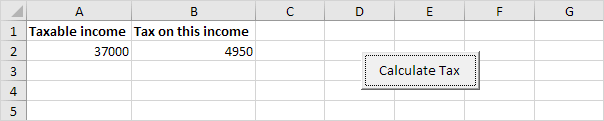
Example: if income is 37000 tax equals 4350 + 0.3 * (37000-35000) = 4350 + 600 = $4950
5. We write the value of the variable tax to cell B2.
Range("B2").Value = tax6. Place this code in a command button and test it.
Result:
Written by
Jason Howie
Founder, FormulasHQ
A formula nerd with a passion for numbers and equations. Writes about Excel, Google Sheets, VBA, regex, and Salesforce formulas — for people who spend their day in spreadsheets.