Statistical Functions in Excel
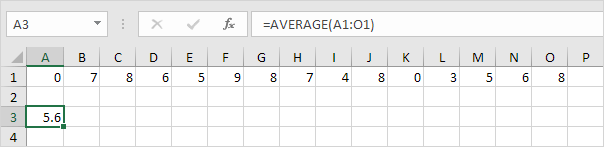
This chapter gives an overview of some very useful statistical functions in Excel.
AVERAGE
To calculate the average of a group of numbers use the AVERAGE function.
Note: visit our page about the AVERAGE function for many more examples.
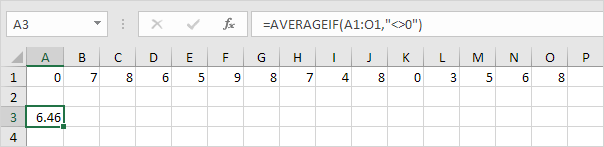
AVERAGEIFTo average cells based on one criteria use the AVERAGEIF function. For example to calculate the average excluding zeros.
Note: visit our page about the AVERAGEIF function for many more examples.
MEDIANTo find the median (or middle number) use the MEDIAN function.
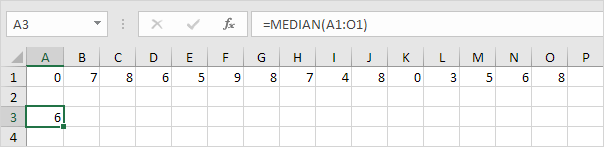
Check:
 MODE
MODE
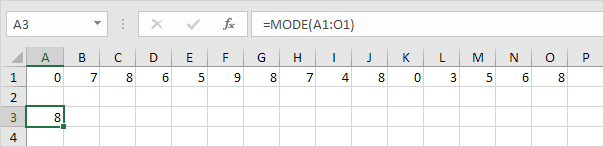
To find the most frequently occurring number use the MODE function.
Note: visit our page about the MODE function to learn more about this Excel function.
Standard DeviationTo calculate the standard deviation use the STDEV function.

Note: standard deviation is a number that tells you how far numbers are from their mean. Learn more about this topic on our page about standard deviation.
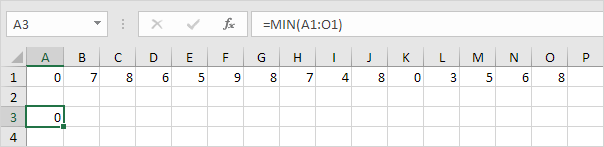
MINTo find the minimum value use the MIN function.
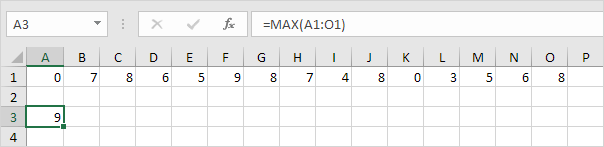
To find the maximum value use the MAX function.
To find the third largest number use the following LARGE function.
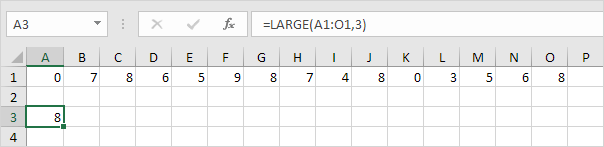
Check:
 SMALL
SMALL
To find the second smallest number use the following SMALL function.
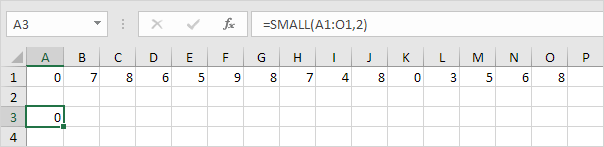
Check:

Tip: Excel can generate most of these results with the click of a button. Our Descriptive Statistics example shows you how.
Written by
Jason Howie
Founder, FormulasHQ
A formula nerd with a passion for numbers and equations. Writes about Excel, Google Sheets, VBA, regex, and Salesforce formulas — for people who spend their day in spreadsheets.