Reverse Strings in Excel VBA
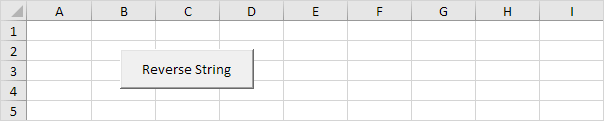
Below we will look at a program in Excel VBA that can reverse strings.
Situation:
Place a command button on your worksheet and add the following code lines:
1. First we declare four variables. One variable called text of type String one variable called reversedText also of type String one variable called length of type Integer and one variable called i of type Integer.
Dim text As String reversedText As String length As Integer i As Integer2. We initialize two variables. We use the InputBox function to get a text string from the user. We use the Len function in Excel VBA to get the length of a string.
text = InputBox("Enter the text you want to reverse")length = Len(text)
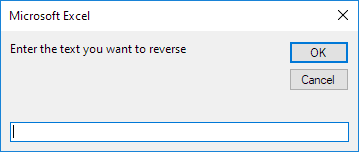
3. We start a For Next loop.
For i = 0 To length - 14. Now comes the simple trick. We take the last character from text and place it at the front of ReversedText. We can use the Mid function in Excel VBA to extract a character from a string. We use the & operator to concatenate (join) two strings.
reversedText = reversedText & Mid(text (length - i) 1)5. Don't forget to close the loop.
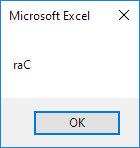
Next iExample: text = "Car". The length of text is 3. For i = 0 to 2 we extract the substring of text starting at position length - i with length 1. Thus for i = 0 Mid(text 3 1) equals r. We place r at the first position of reversedText. For i = 1 Mid(text 2 1) equals a. We add a to reversedText which becomes ra. For i = 2 Mid(text 1 1) equals C. We add C to reversedText which becomes raC.
6. Finally we display reversedText using a MsgBox.
msgbox reversedText7. Test the program.
Result:
Written by
Jason Howie
Founder, FormulasHQ
A formula nerd with a passion for numbers and equations. Writes about Excel, Google Sheets, VBA, regex, and Salesforce formulas — for people who spend their day in spreadsheets.