Date and Time in Excel VBA
Learn how to work with dates and times in Excel VBA.
Place a command button on your worksheet and add the code lines below. To execute the code lines click the command button on the sheet.
Year Month Day of a Date
The following macro gets the year of a date. To declare a date use the Dim statement. To initialize a date use the DateValue function.
Code:
Dim exampleDate As DateexampleDate = DateValue("Jan 19 2020")
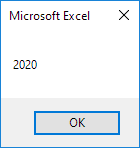
MsgBox Year(exampleDate)
Result:
Note: Use Month and Day to get the month and day of a date.
DateAddTo add a number of days to a date use the DateAdd function. The DateAdd function has three arguments. Fill in "d" for the first argument to add days. Fill in 3 for the second argument to add 3 days. The third argument represents the date to which the number of days will be added.
Code:
Dim firstDate As Date secondDate As DatefirstDate = DateValue("Jan 19 2020")
secondDate = DateAdd("d" 3 firstDate)
MsgBox secondDate
Result:
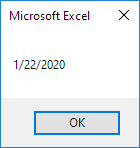
Note: Change "d" to "m" to add a number of months to a date. Place your cursor on DateAdd in the Visual Basic Editor and click F1 for help on the other interval specifiers. Dates are in US Format. Months first Days second. This type of format depends on your windows regional settings.
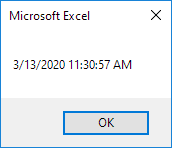
Current Date and TimeTo get the current date and time use the Now function.
Code:
MsgBox NowResult:
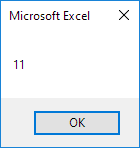
To get the hour of a time use the Hour function.
Code:
MsgBox Hour(Now)Result:
Note: Use Minute and Second to get the minute and second of a time.
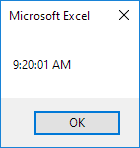
TimeValueThe TimeValue function converts a string to a time serial number. The time's serial number is a number between 0 and 1. For example noon (halfway through the day) is represented as 0.5.
Code:
MsgBox TimeValue("9:20:01 am")Result:
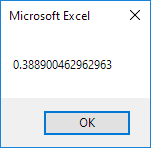
Now to clearly see that Excel handles times internally as numbers between 0 and 1 add the following code lines:
Dim y As Doubley = TimeValue("09:20:01")
MsgBox y
Result:
Written by
Jason Howie
Founder, FormulasHQ
A formula nerd with a passion for numbers and equations. Writes about Excel, Google Sheets, VBA, regex, and Salesforce formulas — for people who spend their day in spreadsheets.